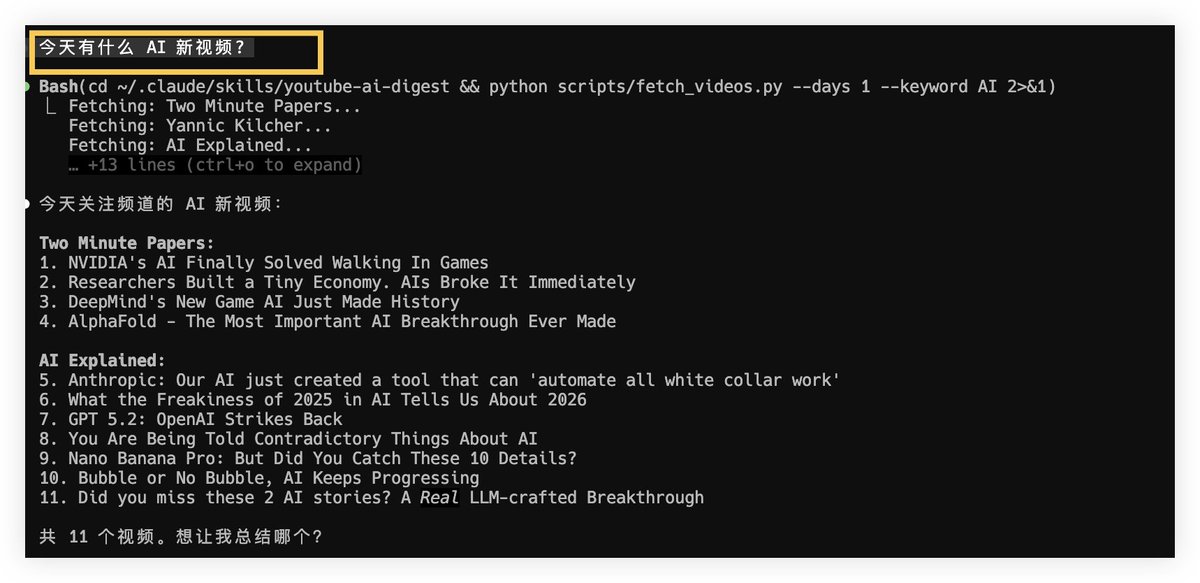
This skill specifically for viewing YouTube AI videos is awesome! Look carefully at the fourth picture, it really took 5 pictures automatically! In the future, you don’t have to watch videos one by one. Basically, you can quickly find a summary of key information and automatically take screenshots to complete the daily use of this Skill:
- View today’s AI video. Help me see what new AI videos the YouTube bloggers I follow today have.
- Summarize a video Summarize the first video or Summarize this video I'll get the subtitles, generate a report, and use AI to summarize the key points.
- Capture the video screen. Use playwright to open the video and take a screenshot at 2:30. Playwright-skill will be called to open the browser to capture the screen shot.
- Generate a complete report Generate a Markdown report, including cover and key screenshots
- Add a channel to follow Help me add a YouTube channel to the watch list: xxx --- Typical usage:
- Any new AI videos today?
- The second one looks good, help me summarize it
- Take a few key screenshots
- Generate a Markdown note
